How to block Facebook game requests on iPhone and iPad ?

How to block Facebook game requests on iPhone and iPad
How to block Facebook game requests on iPhone and iPad

I came across this article online . and i think many will thank me for sharing this .  Share it and spread the word !

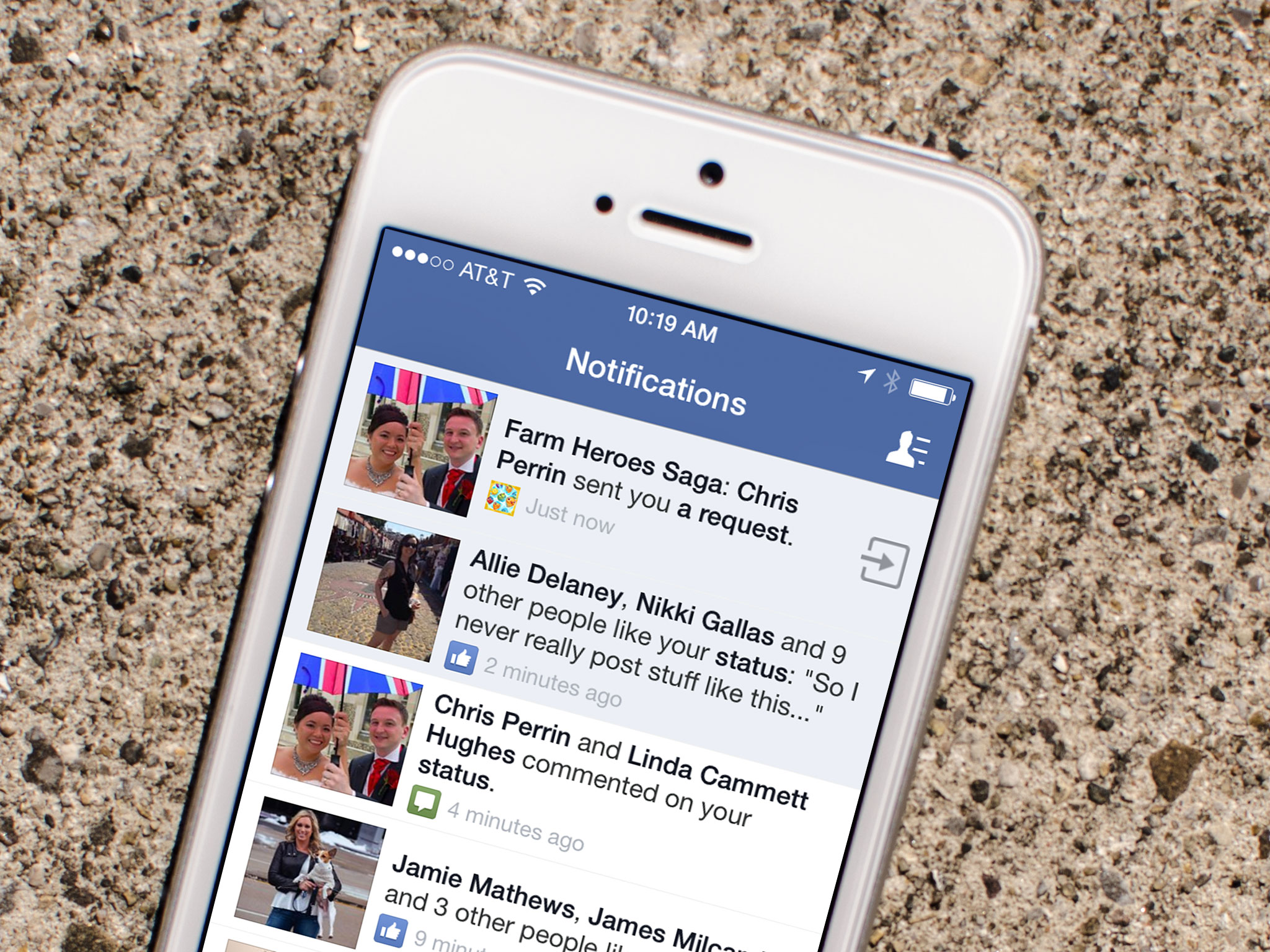
If you don’t play Candy Crush Saga, or any other Facebook game for that matter, but you keep getting requests for lives and items from your Facebook friends, you’re probably past frustrated. I’ve even seen some friends delete people or unfollow them simply to stop the never ending stream of game requests. Unfortunately, sometimes people don’t realize they’re spamming their friends. Luckily, there’s an easier way to stop game requests than deleting or unfollowing your friends.

How to block all Facebook game and app requests on iPhone and iPad

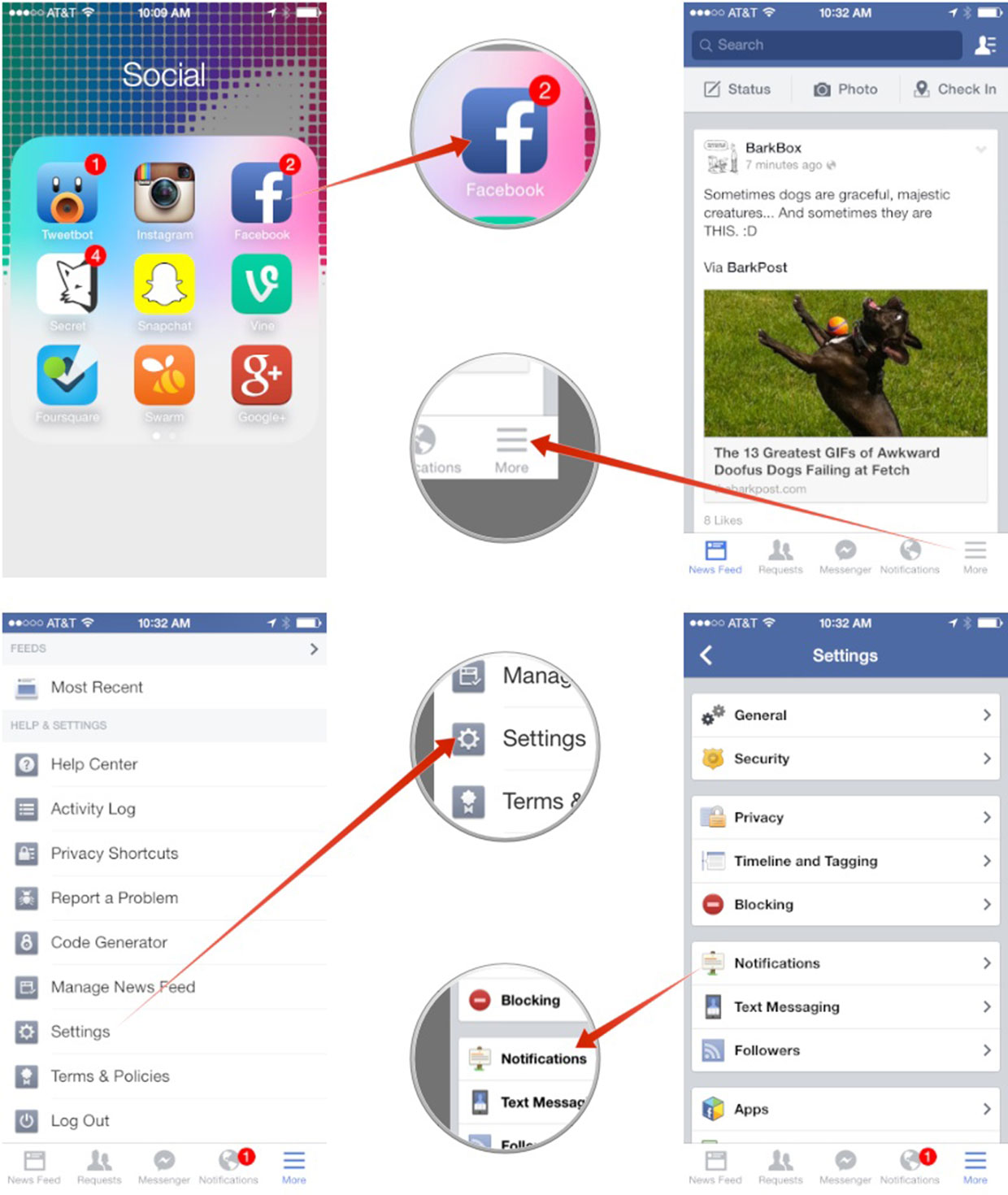
  1. Launch the Facebook app on your iPhone or iPad.
  2. Tap on the More button in the bottom navigation.
  3. Tap on Settings — it’s all the way at the bottom so you’ll need to scroll down a ways.
  4. Tap on Notifications.
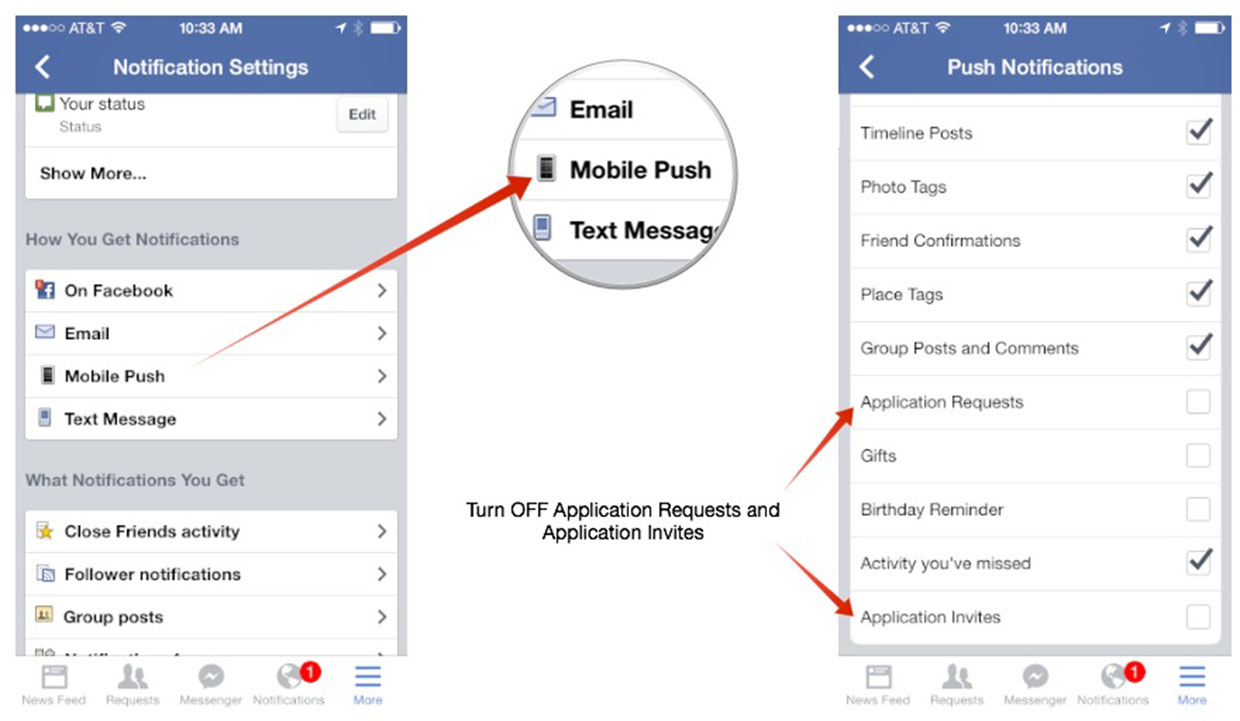
  5. Tap on Mobile Push under the How You Get Notifications section.
  6. Uncheck Application Requests and Application Invites.
You can repeat this process for email, text, message, and on Facebook too so you stop app and game requests everywhere. Keep in mind that this blocks requests from all apps, not just games. It doesn’t mean you won’t receive notifications for apps you’ve added yourself, but just ones other people send you that you haven’t added on your own first.
Standard

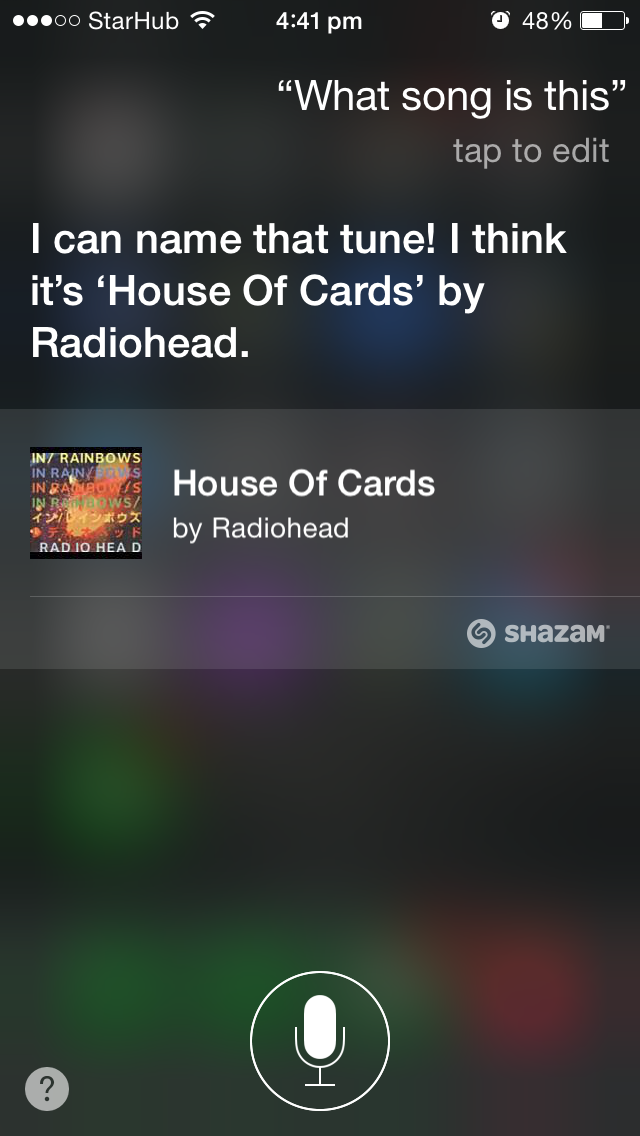
did you know Siri’s Shazam Integration ?!

IMG_3231


Shazam, the music identification service, is now ingrained in Siri’s make-up, and if you wish to identify a song using the voice assistant, simply use the command “What’s that song playing?” ” what song is this ? ” ” what is this tune ? ” “What is currently playing?”  “Name that tune.”

Now you don’t need to open your shazam or other music identification service app to search for that song you heard on the radio while you are driving , your local bar , coffee place or anywhere at anytime .


Just Ask SIRI !

TRY IT OUT !


SHARE THE LINK WITH FELLOW iOS8 USERS

Standard

If you were once on iMessage ….and now switched to other mobile brands then PLEASE READ!

206555-1280


Apple has posted a new tool that lets you deregister your phone number from iMessage.

You may need to turn off iMessage if you are now using a non-Apple phone and can’t get SMS or text messages someone sends you from an iPhone.

The tool resolves an issue with Apple’s messaging system that manifests when switching from iOS to another operating system while keeping the same number. Often Apple’s system doesn’t recognize that your number is no longer associated with an iOS device. Consequently, messages from other iOS users are still sent via iMessage, which can’t be received on the new device, resulting in a large number of unreceived SMS messages.

Thankfully, you can now input your number into this form to deregister it from iMessage.

Standard